

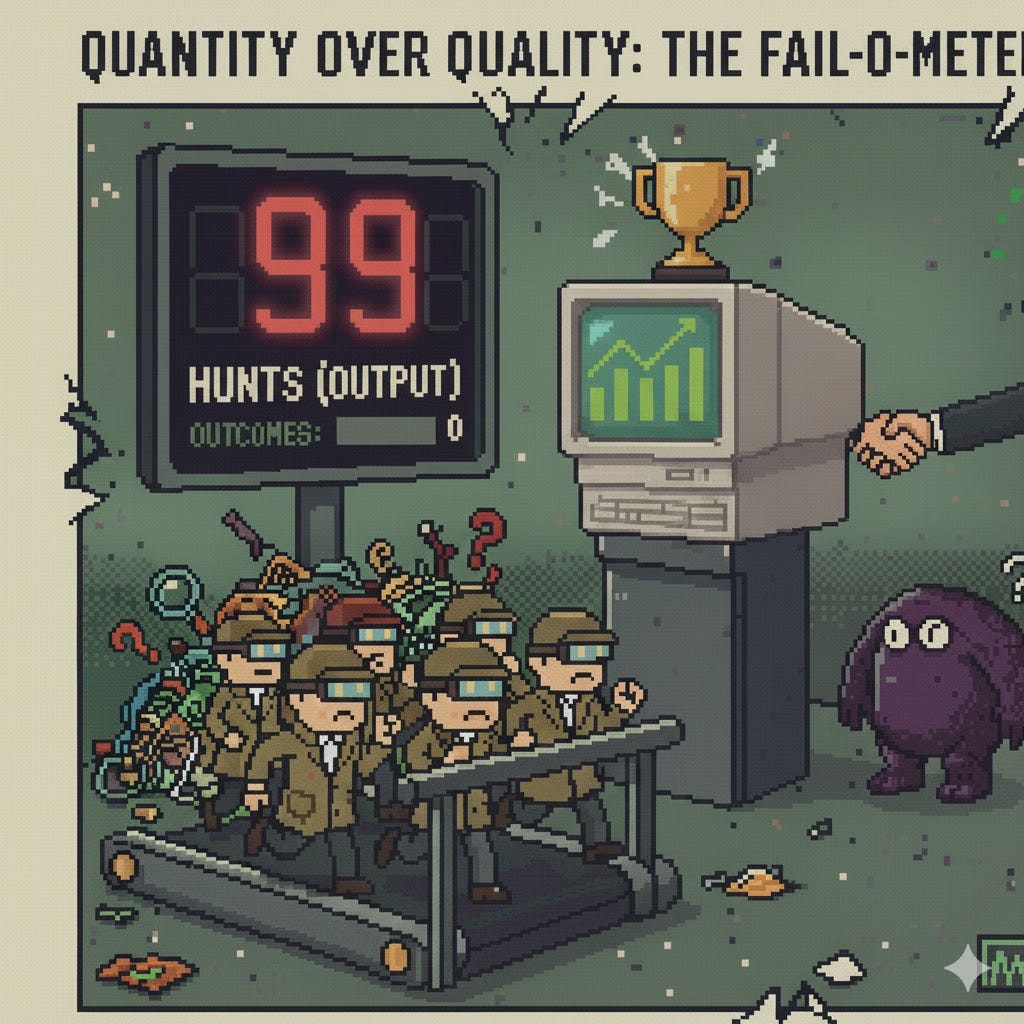
Let me tell you a little secret. Do you know why your threat hunting efforts keep failing?
Because you focus on the wrong goals, driven by the wrong metrics, incentivised by the wrong rewards, sustained by people who forget threat hunting is equal parts art and science, creating the wrong lens in the first place.
We forget that when it comes to hunting, quality matters more than quantity.
And before your inner gnome (trust me, I can hear mine too) jumps up and says “but with automation and AI you can have both”, allow me to add: the problem is not whether you can achieve both or not, the problem arises when you put quantity OVER quality as the main target.
We confuse Output with Outcomes and Impact.
Output is doing things right (efficiency)
Outcomes is doing the right thing (efficacy)
Impact is making the right things matter (significance)
If you focus in the quantity of your hunts you are merely measuring Outputs, not Outcomes or Impact. And when all you do is focus on velocity, you spend less time in the most important phase of a hunt: the pre-hunt.
That is, the research, the expansion of your intel picture, the gathering of environment context that grounds your efforts into the fundamentals that deliver business value.
I have a powerful antidote to this madness, a simple mnemonic for the pre-hunt phase: HYPER. Do you want to know what it is about?
HYPER is the framework that forces you into a critical pause. It’s the guardrail against rushing, ensuring you build your hunt on a foundation of quality.
It stands for:
HY: Hypothesis
P: Profile
E: Expected Observations
R: Resources
Of course, none of this matters if your threat hunting program is built on the wrong foundations, not understanding the key differences between Outputs and Outcomes, and forcing MBA style business optimisation methods as if your hunt capability behaves like a predictable factory line, squeezing the time and creativity needed for the deep research that actually delivers value.
This powerful mnemonic is a mental model that shifts your focus from Output to Outcomes by demanding you do the right research before you ever write a query. Let’s break down each component.
HYPER
The idea of using HYPER is grounded on the functional requirements phase of Spec Driven Development. Before you even start coding, you need to understand what your users want, which is another way of saying: you need to map out the problem space before you even begin solving it.
HYPER is a good method to ensure you spend enough time researching and planning your hunt because threat hunts are no exception to the GIGO (Garbage In, Garbage Out) principle. The richer your understanding of attack chains, threat actor profile, impacted services, operative context and hunt priority, the higher your changes of developing a fruitful hunt mission.
Important: You DO NOT HAVE TO keep ALL the pieces of HYPER, how deep you want to go depends on your quality appetite and whether your organisation TRULY reflects, understands and has laid out what it expects from a threat hunting program.
Hypothesis
What is the behaviour we posit as expected if the threat where to realise in our environment?
Profile
This represents the Hunt Profile, not the threat actor profile. Threat actor profile and attack graph information is considered a necessary resource for the hunt, we assume that a Threat Intelligence capability exists which provides this fundamental ingredient.
The Hunt Profile captures the who, what, when, where and why of the hunt. We must have an idea of the following:
Duration: The approximate duration of the hunt. It does not have to be super precise, but it must be used as a boundary to avoid rabbit-holing (we coined that word a few years ago with some colleagues: the act of going down rabbit holes and getting lost like Alice in Wonderland). These boundaries keeps hunters accountable and constraints effort spent in the different phases. As a rule of thumb, 30% of your effort should be spent doing pre-hunt research, 50% running queries or attack simulations required to generate telemetry and 20% at the end for playbook generation and reporting.
Time Range: The specific timeframe to investigate (e.g., Last 72 hours, Last 90 days, October 1-7). This timeframe is to be used as a loose guidance since you won’t always can to cover the whole spectrum.
Exclusions: Any assets or data to intentionally ignore (e.g., HR Users, test environments, etc.).
Priority Assessment: Scores of 1-4 based on your custom rubrics that helps prioritise the hunt. The only exception to the scoring is “Confidence Factor” which can go from 0.5 to 2 and is based on RICE method of scoring.
Attack Likelihood (AL): This is a measure of intent and capability by the threat actor combined with environment defences that may disrupt or facilitate the success of an attack technique. Good CTI will provide this ingredient to you.
Hunt Impact (HI): The degree to which a reported threat hypothesis addresses relevant gaps and aligns with organisational priorities, interests or concerns.
Hunt Complexity (HC): The estimated difficulty rating of hunting around the topic in a given environment. This may include things like data availability or resource constraints.
Confidence Factor (CF): The degree of confidence in the estimates made for all the other criteria, based on availability of supporting data.
Mitigations: This lists the existing security controls, policies, or configurations that should already be in place to prevent or detect this behaviour. This is critical as it helps refine the hypothesis (e.g., “Attacker is bypassing our EDR’s hook...”) and identifies which control’s logs you must check (e.g., “Did the control fire and we missed the alert?”).
Potentially Impacted Systems & Services: This identifies the “crown jewels” or critical business functions (e.g., Customer Database, Payment Processing API, Domain Controllers) that are the likely goal of the attack. This is vital for prioritising the hunt’s urgency and focusing the search on assets that have access to these services.
Dependencies: Are there any dependencies worth noting here like requirements to engage certain teams, availability of architectural diagrams, etc?
Expected Observations
If the threat techniques, procedures or other behaviours were to materialise in our environment, what is the evidence we expect to see?
This step helps you really focus on your research and understanding of attack chains. Here is were you let your DFIR monkey run wild and start to connect the dots. The deeper your DFIR and systems knowledge, the more precise and rich this phase will be.
Resources
This section is the toolbox for the hunt. It aims to identify an inventory of informational inputs, intelligence, and data sources the analyst will use to execute the hunt and test the hypothesis.
Threat Actor Profiles: An array of CTI reports, blogs or other documents that help you understand the threat profile, attack patterns, etc.
Data Sources: The logs and telemetry to be queried, you can be generic (e.g., EDR logs, Cloudtrail logs) or specific (e.g. data source A of type B), aiming for specificity is better.
Systems & Assets: The specific hosts, domains, or user groups to focus on (e.g., All Domain Controllers, Tier-0 Assets, AWS Production Account, Finance Department user-group). Scores of 1-4 based on your custom rubrics that helps prioritise the hunt. The only exception to the scoring is “Confidence Factor” which can go from 0.5 to 2 and is based on RICE method of scoring.
Dependencies: Are there any dependencies worth noting here like requirements to engage certain teams, availability of architectural diagrams, etc?
Applying HYPER to the DFIR Report
Cool so we now have guidelines to help us structure a hunt mission. We need to use HYPER to build a story.
Let’s use the DFIRReport Confluence Exploit leads to Lockbit Ransomware article as an example.
HY: Hypothesis
We hypothesize that a threat actor (LockBit affiliate) is actively exploiting the Confluence RCE vulnerability (CVE-2023-22527) on our public-facing servers. If successful, we expect them to establish C2 via Metasploit or AnyDesk, dump credentials using Mimikatz, and move laterally via RDP to deploy ransomware using legitimate tools like PDQ Deploy.
P: Profile
Duration: 3 days (2 days for active hunting, 1 day for findings/reporting/playbook).
Time Range: Last 30 days (to detect initial exploitation and any prior staging).
Exclusions: Known internal and external vulnerability scanners, test Confluence instances.
Priority Assessment:
Attack Likelihood: High (4/4). A critical (10.0 CVSS) RCE with public exploits is available.
Hunt Impact: Critical (4/4). This TTP leads directly to data exfiltration and domain-wide ransomware (LockBit).
Hunt Complexity: Medium (2/4). Initial access is specific, but lateral movement uses common admin tools (RDP, PDQ Deploy) which can be noisy.
Confidence Factor: High (1.5). We have a specific CVE and a detailed public report of the full attack chain.
Mitigations:
Confluence servers might be patched or behind WAF. But even so this doesn’t protect us during the un-patched window of exploitation.
Application Whitelisting might prevent deployment of AnyDesk.
EDR (should block Mimikatz,
lsassaccess, and suspicious PowerShell).Log forwarding (should prevent successful log clearing).
Potentially Impacted Systems & Services:
Crown Jewels: Payments processing system, Domain Controllers, Backup Servers (Veeam), DataBricks DBs containing customer PII.
All public-facing Windows Confluence servers.
Dependencies:
Access to Confluence, EDR, and DC logs.
Contact list for the Infrastructure team (re: PDQ Deploy, Confluence) and Security Engineering (re: WAF/EDR logs).
E: Expected Observations
If the hypothesis is correct and the threat were to materialise in our environment, we expect to find the following evidence:
On the Confluence Server (Beachhead):
Web server logs showing POST requests to endpoints like
/template/aui/text-inline.vm.Process execution from the Confluence parent process (e.g.,
java.exe) spawningcmd.exeorpowershell.exe.The exploit (template injection) is often used to drop a web shell for easier, more stable access. We would hunt for suspicious
.jsp,.vm, or.classfiles in Confluence installation and web directories. Their creation timestamps would be just after the initial exploit logs.Initial discovery commands:
net user,whoami,query user.mshta.exeexecuting a remote.htafile from a suspicious IP (e.g.,92[.]51.2[.]22). The.htafile would be written to disk in the user’s (potentially System? or the Service Account used by Confluence server)INetCachedirectory (e.g.,C:\Users\<user>\AppData\Local\Microsoft\Windows\INetCache\). We would hunt for this.htafile, as it contains the Metasploit stager.PowerShell execution with Base64-encoded, Gzip-compressed stagers (Metasploit).
Download and installation of
AnyDesk.msiand creation of a new service (AnyDeskMSI.exe).Creation of a new local user (e.g., “backup”) and its addition to the local “Administrators” group (Event IDs 4720, 4732).
Need to look for Windows Event ID 1149 (“Remote Desktop Services: User authentication succeeded”) in the
Microsoft-Windows-TerminalServices-ClientActiveXCorelog. This confirms outbound RDP connections from the compromised server. For reference, see CyberTriage blog.RDP Bitmap Cache. We need to look in the RDP cache (
C:\Users\<actor_user>\AppData\Local\Microsoft\Terminal Server Client\Cache\). These bitmap files are small pictures of the remote screens. This can provide a literal snapshot (although shaky) of what the attacker saw on the Domain Controller or Backup Server.
On Network and Other Hosts:
Credential Access:
Mimikatz.exeexecution, EDR alerts forlsassaccess (Event ID 10), and execution of PowerShell scripts likeVeeam-Get-Creds-New.ps1(Event ID 4104).Discovery:
NetScan.exeexecution, identified by anomalous SMB activity (creating/deletingdelete.mefiles) across many hosts (Event ID 5145).Lateral Movement: RDP logon events (Event ID 4624) originating from the Confluence server, targeting Backup Servers, File Servers, and DCs. Further evidence of
.htafiles pulled intoINetCache.Exfiltration:
Rclone.exeprocess execution and related network traffic (HTTP POSTs) to cloud storage (e.g.,mega.io).Defense Evasion:
wevtutil.exe clorClear-EventLogcommands to clear Windows Event Logs (Event ID 1102).Impact: Use of
PDQDeployService.exeto copy and execute ransomware binaries and batch scripts (e.g.,asd.bat) across the environment.
R: Resources
Threat Actor Profiles:
The DFIR Report: “Confluence Exploit Leads to LockBit Ransomware”
CTI regarding LockBit affiliates and ShadowSyndicate.
Trend Micro / Splunk reports on CVE-2023-22527.
Data Sources:
Endpoint: EDR / Sysmon logs (Process, Network, Service Creation, LSASS Access).
Network: Firewall, Proxy, and Zeek/Suricata logs (focus on C2 IPs
92[.]51.2.22,92[.]51.2.27and exfil tomega.io).Host: Windows Event Logs (Security, System, PowerShell Script Block Logging).
App: Confluence access and application logs.
Systems & Assets (to query):
Public Confluence Servers.
DataBricks Audit Logs if suspicions of lateral movement to cloud services due to harvested API keys.
Domain Controllers.
Veeam Backup Servers.
Enterprise File Servers.
Hosts with PDQ Deploy installed.